Buying a best refurbished laptops in hsr layout is one of the smartest ways to get high performance at a budget-friendly price—especially for students, startups, and professionals in fast-growing tech hubs. With proper verification and the right seller, a refurbished device can deliver performance close to a new system at a fraction of the cost. If you’re planning to invest in one, BIIT is your trusted partner. With over 30 years of experience, we provide a complete guide and certified quality checks to ensure you get the best value before you buy.
Refurbished vs Used: What’s the Difference?
Many buyers confuse refurbished with used, but they are not the same.
Refurbished Laptop
- Professionally inspected, repaired, and tested before resale.
- Faulty components (battery, SSD, RAM, etc.) are replaced if needed.
- Sold with warranty and support in most cases.
- Performance-tested to meet quality standards. (BIIT)
Used Laptop
- Sold “as-is” by previous owner.
- No professional testing or part replacement.
- Usually no warranty or after-sales support.
- Higher risk of hidden issues.
👉 In short: Refurbished = Verified & Reliable. Used = Buyer Beware.
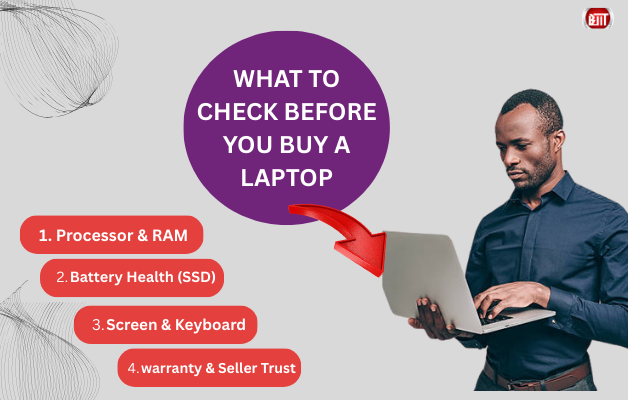
The Essential Checklist Before Buying a Refurbished Laptop
1. Physical Condition
- Check for cracks, dents, or hinge looseness.
- Ensure the chassis is solid and not previously damaged.
- Minor cosmetic wear is normal—but structural damage is not.
2. Battery Health
- Ask for battery test reports or replacement confirmation.
- A good refurbished laptop should deliver reliable backup for daily work.
- Many professional refurbishers replace degraded batteries during reconditioning.
3. Screen & Display Quality
- Look for dead pixels, discoloration, or screen burn.
- Test brightness levels and viewing angles.
- Ensure there are no flickering or backlight issues.
4. Ports & Connectivity
- Test USB, HDMI, audio jack, charging port, and Wi-Fi.
- Ensure Bluetooth and webcam function correctly.
- Connectivity issues can be costly to repair later.
5. Keyboard & Trackpad Functionality
- Check every key—especially commonly worn ones.
- Ensure the trackpad responds smoothly without lag.
- Confirm there are no stuck or unresponsive keys.
Why Buy in HSR Layout?
HSR Layout is surrounded by startups, tech companies, and educational institutions—making it a hotspot for demand-driven IT hardware solutions. Buying locally gives you:
- Easy access to service and support if needed.
- Ability to physically inspect the device before purchase.
- Faster upgrades, replacements, or configuration assistance.
- Trusted local vendors with long-standing experience in IT infrastructure and support. (BIIT)
Established providers in Bangalore have been offering computer sales, service, and rentals for years, helping both individuals and businesses choose the right systems with after-sales support. (BIIT)
Warranty and Bills (Don’t Skip This!)
This is the most important part of buying refurbished.
Always ensure:
- You receive a proper invoice.
- Warranty is clearly mentioned (many refurbished systems include coverage for peace of mind). (BIIT)
- Seller provides post-sale technical support if required. (BIIT)
A warranty-backed refurbished laptop dramatically reduces risk and ensures long-term usability.
Where to Buy Reliable Refurbished Laptops Near HSR Layout
For buyers in and around Bangalore, you can explore options from:
👉 BIIT India Official Website
They offer a wide selection of refurbished laptops and computers with different configurations to match individual or business requirements. (BIIT)
Contact Details
BIIT India
📍 #257, 9th ‘A’ Main Road, 3rd Block, Jayanagar, Bangalore – 560011 (BIIT)
📞 +91 99725 79500 / +91 99725 79501 (BIIT)
📧 sales@biitindia.co.in (BIIT)
They provide laptop sales, service, and rentals for both individuals and organizations across Bangalore. (BIIT)